

Fiber Meets Tech — Best Digital Tools for Pattern Designers
Disclaimer
Some of the links in this article may be affiliate links, which means we may receive a small commission, at no additional cost to you, if you decide to make a purchase through one of our recommended partners. We only recommend products and services we trust and believe will be beneficial to our readers. This helps support our efforts in bringing you valuable content. Thank you for your support.
Designing is the creative, fun part— the yarn, the stitch choices, the lightbulb moments. The rest (tracking pitches, keeping swatches and specs organized, making charts, formatting patterns, calculating gauge and final measurements), can be overwhelming, feel like administrative laundry, and can even stifle your creative flow. The reality of modern pattern design (particularly if you intend to sell it), means you really need to be able to use today’s tech, and use it efficiently. The right digital toolkit doesn’t replace creativity — it protects it.
In this post, I’ll share the tools I actually use to keep ideas flowing and submissions moving: a Notion submission dashboard I rely on, charting & layout tools, and simple systems that save hours. Whether you’re a crocheter, knitter, or pattern-curious maker, take my toolkit, adapt it, and spend more time making and less time managing.
Project & Submission Management
Why it matters
Great ideas don’t mean much if they get lost in a notebook or email thread. Having a reliable system for tracking design changes, pitches and submissions turns creativity into a repeatable business.
Notion
My go-to tool for project and submission management. It gives me a flexible dashboard to:
Track design ideas and submission pitches.
Monitor submission deadlines and editor responses.
Organize projects by stage (swatching, writing, testing, blocking, published, whatever you like).
Create reusable templates for pitches and patterns.
The best part? Once you set it up, you’ll spend less time juggling sticky notes and more time knitting, crocheting, or writing patterns.
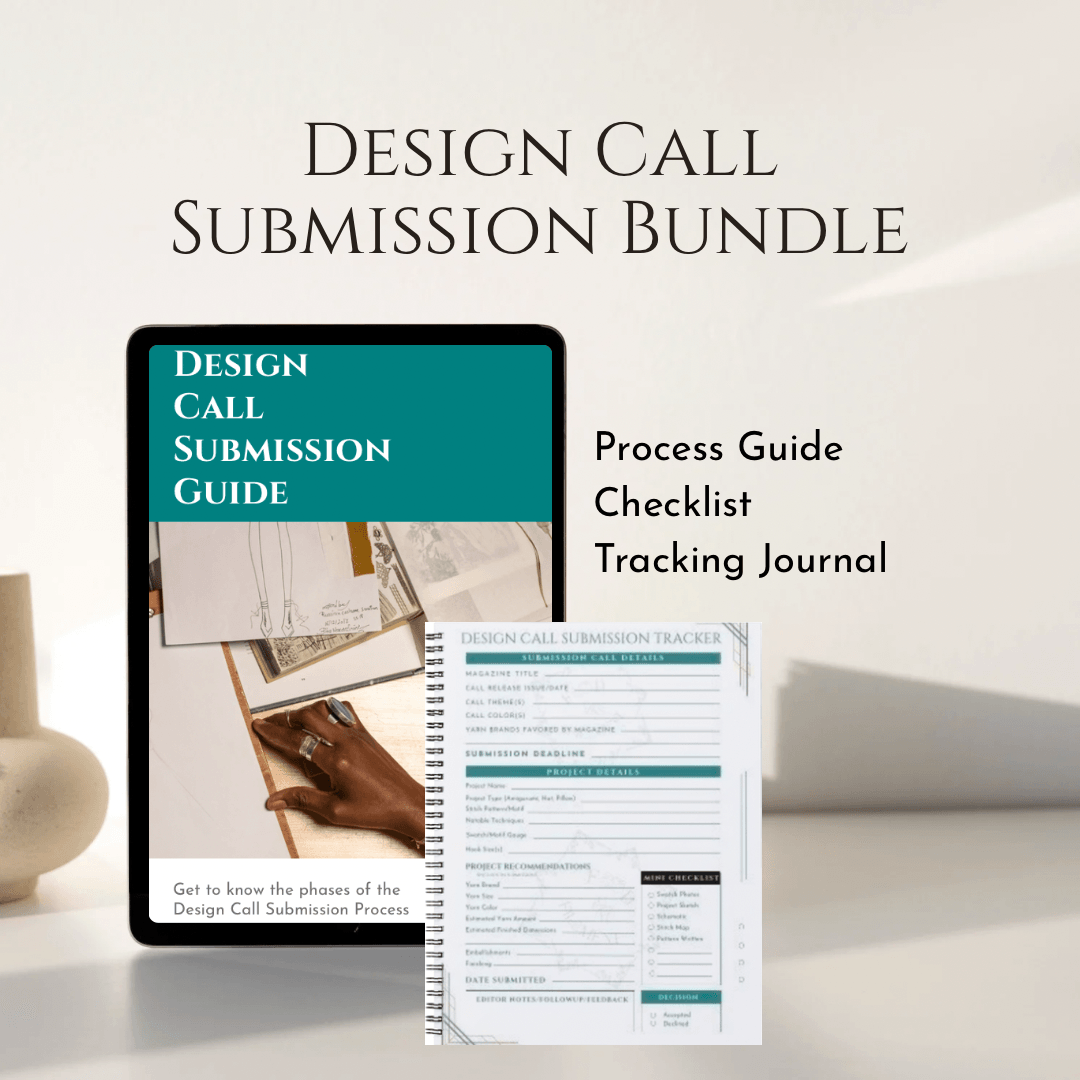
If you’re ready to streamline your submissions, my Design Call Submission Guide Bundle pairs beautifully with Notion. Along with pitch tips provided by the guide, the bundle includes a pdf Tracker worksheet.
Design & Charting Tools
Why it matters
Charts and schematics aren’t just pretty extras — they’re clarity tools. A clean chart saves pages of text and reduces confusion, which makes editors (and test knitters) much happier. Good charts also help you catch errors before the pattern goes public.
Stitch Fiddle
This browser-based tool is a powerhouse. The free version handles lace and colorwork, while the paid version adds:
Limited cable charting.
Automatic stitch counts (to keep your math honest).
A “written instructions” generator from your chart.
Downloadable charts for easy insertion into your pattern.
Chart Minder
This desktop tool is especially strong for cable-heavy knitwear, with extra stitch libraries and customization options. It also includes a gauge calculator — a lifesaver for designers since gauge is often one of the trickiest parts of pattern writing.
Canva
For schematics and layout, Canva is surprisingly versatile. You can:
Create simple line drawings with measurements.
Drop charts and swatches into branded layouts.
Export polished PDFs that feel magazine-ready.
Pattern Writing & Formatting
Why it matters
Even the most innovative design can fall flat if the pattern is unclear. Formatting bridges the gap between your creativity and your audience — whether that’s an editor or a maker downloading your pattern. Clean formatting builds trust and makes your work easier to accept or purchase.
Google Docs or Microsoft Word
Both are excellent for drafting the written portion of patterns. These are the “prose” of the pattern — the backstory of your pattern inspiration, the connecting instruction for shaping transitions, etc. Your words, your copyright.
Google Docs: best for collaboration, with comments and version history (creating a style sheet).
Microsoft Word: still a publishing standard, preferred by many magazines for final submission.
Cut and paste to Canva for self-publication.
Export to text for a clean, universal, shareable format.
Canva (for self-publishing)
If you’re publishing patterns on a 3rd party Marketplace such as Ravelry, Etsy, LoveCrafts, or KnitCompanion, Canva helps you create branded, polished PDFs that stand out in a crowded marketplace.
Style Sheets (for internal use and self-publishing)
A style sheet is your internal guide to abbreviations, stitch naming, and formatting rules. Publishers give you their style sheets once you’re accepted, but for self-publishing, your own style sheet creates consistency across your catalog — and makes tech editing smoother if you hire one.
Marketing & Social Media Campaigns
Why it matters
A pattern doesn’t promote itself. Strong visuals help your work stand out on Pinterest, Instagram, and 3rd party marketplaces — they signal professionalism before anyone even reads the description.
Canva
Use Canva templates sized for Instagram, Pinterest, and YouTube thumbnails. Consistent fonts, colors, and branding will make your posts recognizable at a glance.
Tailwind (Pinterest scheduling)
If you’re leaning on Pinterest for traffic, Tailwind can help schedule pins, create variations, and track analytics so you know what’s working.
Video snippets
Short clips (a brief video with text overlay - i.e. a swatch-in-progress) can often get more reach than static images.
Community & Networking
Why it matters
Designing can be solitary, but connection accelerates growth. Opportunities, pitch calls, and collaborations often travel through networks before they’re ever posted publicly.
Ravelry & Online Groups
Designer groups on Ravelry remain active and useful for sharing calls and advice. Niche Facebook groups, Slack, or Discord communities can also be great spaces to learn and connect.
Associations, Festivals & Guilds
Meeting editors or fellow designers at guilds, fiber festivals, or conferences can spark opportunities a single email never could. Consider joining The Knitting Guild Association (TKGA) or the Crochet Guild of America(CGoA to open your sense of the crafts beyond your circle.
Right now, Crafted for Commerce is a Facebook page where I share business and craft resources with fiber designers. I have been toying with creating a sister Skool community — a more intimate space for support, Q&A, and resource-sharing.
I’d love your input. How can this community best serve YOU? Take this quick survey and let me know what your idea of a space designed just for fiber designers should be.
Conclusion
Digital tools don’t replace creativity — they support it. With tools to help you track your ideas, handle your charts, polish your document formatting, standardize your branding, and a community to keep you informed and inspired, you’ll spend less time managing your company and more time creating the products you love.
✨ Ready to take your design brand to the next level? Start with a FREE directory of print and online crochet or print and online knit magazines that accept submissions. Get familiar with the design call process, and what to do prior to calls that will put you ahead of the game with the Design Call Guide Submission Bundle full of tips to help you on your way to getting published and a tracker to keep you organized and on track.
Subscribe to our FOOD newsletter, Spice & Simmer to get tasty, healthy meal ideas.
Visit our dedicated
Flavor First page
@FoodandFilament
For crafters who mean business
Crafted for Commerce
Created with systeme.io